Invoice (cURL)
This guide demonstrates how to automate the generation of invoices using the reportgen API. You will create a custom HTML template with dynamic data, submit it to the API, and retrieve the resulting PDF.
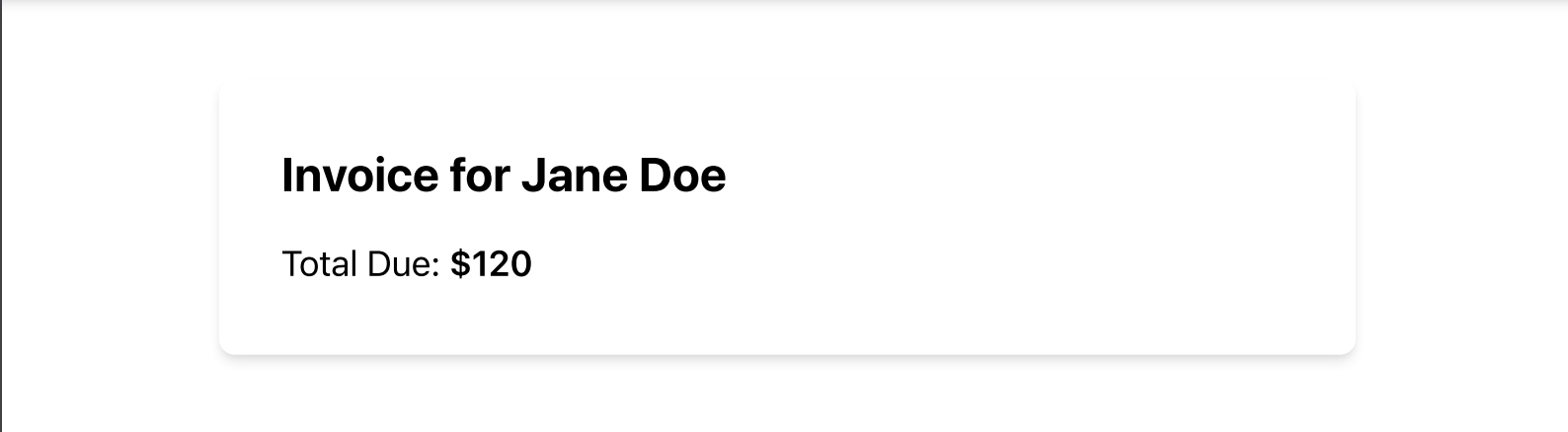
Step-by-Step Guide:
1. Prepare Your HTML Template
Create an EJS template that includes placeholders for the invoice details such as the name of the customer and the total amount due. We’ll use Tailwind CSS to style the invoice by including the CDN link in the <head> of the HTML.
Example Invoice Template (EJS with Tailwind):
<html>
   <head>
      <meta charset="UTF-8">
      <meta name="viewport" content="width=device-width, initial-scale=1.0">
      <script src="https://cdn.tailwindcss.com"></script>
   </head>
   <body class="bg-gray-100">
      <div class="max-w-xl mx-auto bg-white p-8 mt-10 rounded-lg shadow-md">
         <h1 class="text-2xl font-bold mb-4">Invoice for <%= Name %></h1>
         <p class="text-lg">Total Due: <span class="font-semibold">$<%= Total %></span></p>
      </div>
   </body>
</html>
We're using Tailwind to add some style to our otherwise boring report
2. Submit the Template and Data
To generate a PDF from your template, you’ll need to send a POST request to the /generate-pdf-async endpoint. You must include the HTML template, the dynamic data, and specify the engine as ejs.
Request Example:
curl -X POST "https://reportgen.io/api/v1/generate-pdf-async" \
-H "X-API-Key: YOUR_ACCESS_KEY" \
-H "Content-Type: application/json" \
-d '{
  "html_template": "<html><head><meta charset=\"UTF-8\"><meta name=\"viewport\" content=\"width=device-width, initial-scale=1.0\"><script src=\"https://cdn.tailwindcss.com\"></script></head><body class=\"bg-gray-100\"><div class=\"max-w-xl mx-auto bg-white p-8 mt-10 rounded-lg shadow-md\"><h1 class=\"text-2xl font-bold mb-4\">Invoice for <%= Name %></h1><p class=\"text-lg\">Total Due: <span class=\"font-semibold\">$<%= Total %></span></p></div></body></html>",
  "data": {
    "Name": "Jane Doe",
    "Total": 120
  },
  "engine": "ejs"
}'
Explanation:
- html_template: This contains the full HTML template with Tailwind CDN, placeholders, and styling.
- data: The dynamic data that will replace the placeholders. In this case, the
Nameis "Jane Doe," and theTotalis 120. - engine: We specify
ejssince we’re using the EJS templating engine.
Expected Response:
{
  "report_id": "123e4567-e89b-12d3-a456-426614174000"
}
The response includes a unique report_id that you will use in the next step to retrieve the generated PDF.
3. Retrieve the Invoice PDF
Once the PDF is generated, you can retrieve it using the report_id provided in the response. Make a GET request to the /reports/{reportID}/download endpoint:
Request Example:
curl -X GET "https://reportgen.io/api/v1/reports/123e4567-e89b-12d3-a456-426614174000/download" \
-H "X-API-Key: YOUR_ACCESS_KEY" | jq -r '.data'
This request will return a downloadable PDF of the invoice with the dynamic data inserted and styled using Tailwind.